
How Voice AI Changes the Clinical Documentation Workflow
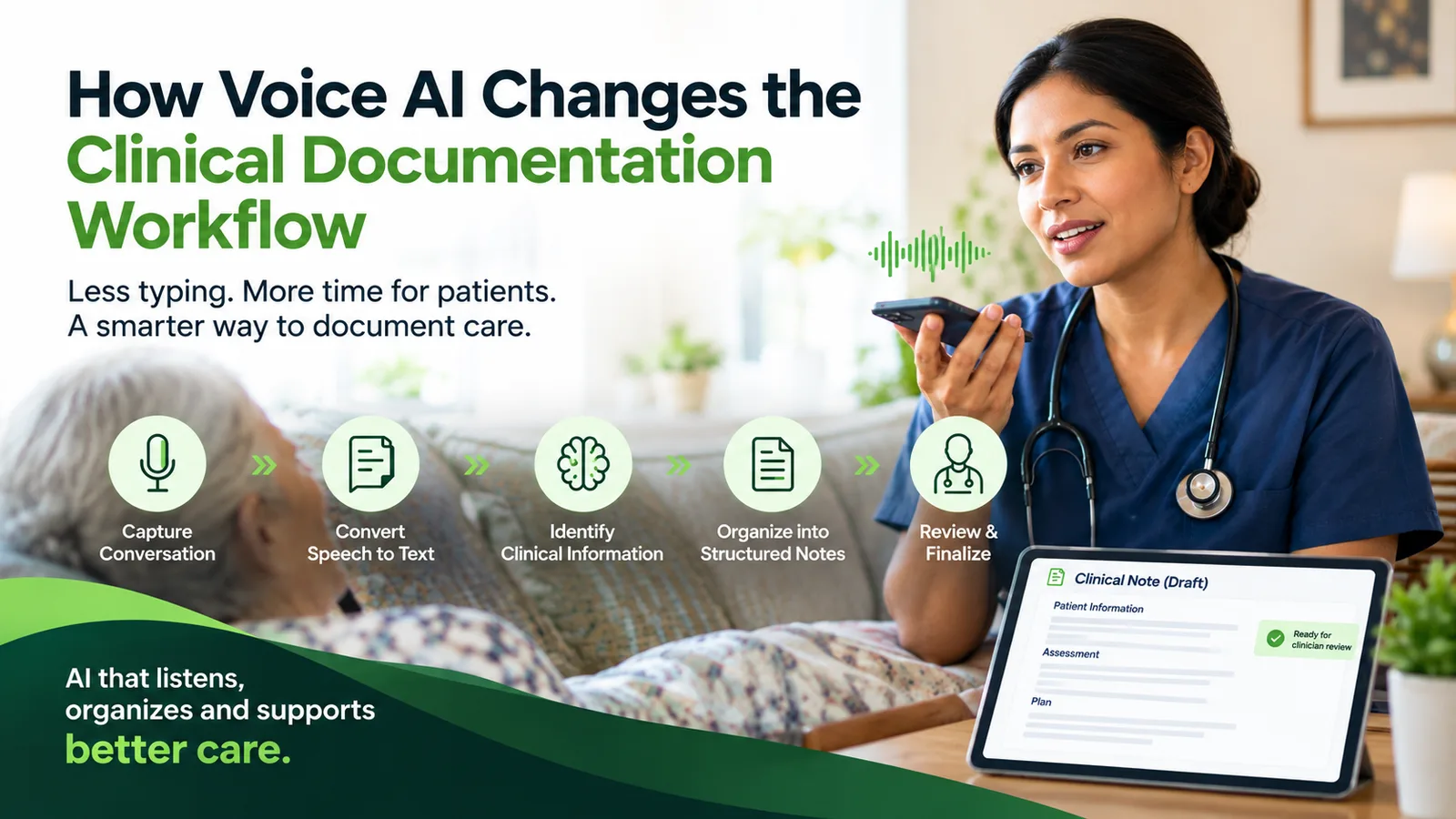
Voice AI can turn a natural clinical conversation into a structured draft, identify missing information, and support QA and EMR workflows. The goal is not to remove the clinician; it is to reduce repetitive documentation work while keeping clinical judgment and final approval with the healthcare professional.
Key Takeaways
- Voice AI goes beyond transcription by identifying clinical information and organizing it into a structured documentation draft.
- A safe workflow keeps the clinician in control: capture, structure, clarify, review, correct, and approve.
- In home health, voice AI must fit a mobile workflow and connect the patient visit to referral intake, QA, EMR, orders, and compliance processes.
- Conversational systems can identify potentially missing information and ask follow-up questions instead of forcing nurses to remember every EHR field.
- AI-generated notes can contain omissions or inaccuracies, so human review, QA, security controls, and auditability remain essential.
- The largest opportunity is not simply less typing; it is a connected workflow from referral readiness through approved documentation in the EMR.
✓ Quick answer: Voice AI clinical documentation captures a natural clinical conversation or post-visit narration, converts speech to text, identifies relevant clinical information, and organizes it into a structured draft. The clinician reviews, corrects, and approves the record before it moves forward.
Clinical documentation is essential to healthcare, but documenting care can become a significant administrative burden. The work does not necessarily end when the patient encounter ends.
Clinicians may still have notes to complete, information to enter into the EHR, documentation requirements to satisfy, orders to follow up on, and records to review.
Voice AI introduces a different approach. Instead of requiring clinicians to manually translate every part of an encounter into EHR fields, a voice-enabled system can capture a natural conversation or spoken visit summary, identify relevant information, organize it into structured documentation, and present a draft for clinician review.
For home health agencies, the opportunity goes further. Voice AI can become one part of a broader workflow that begins with referral intake, continues through the patient visit and documentation, and extends into QA, EMR workflows, orders, and compliance-related processes.
The goal is not to remove the clinician. It is to reduce repetitive work while keeping clinical judgment and final review with the healthcare professional.
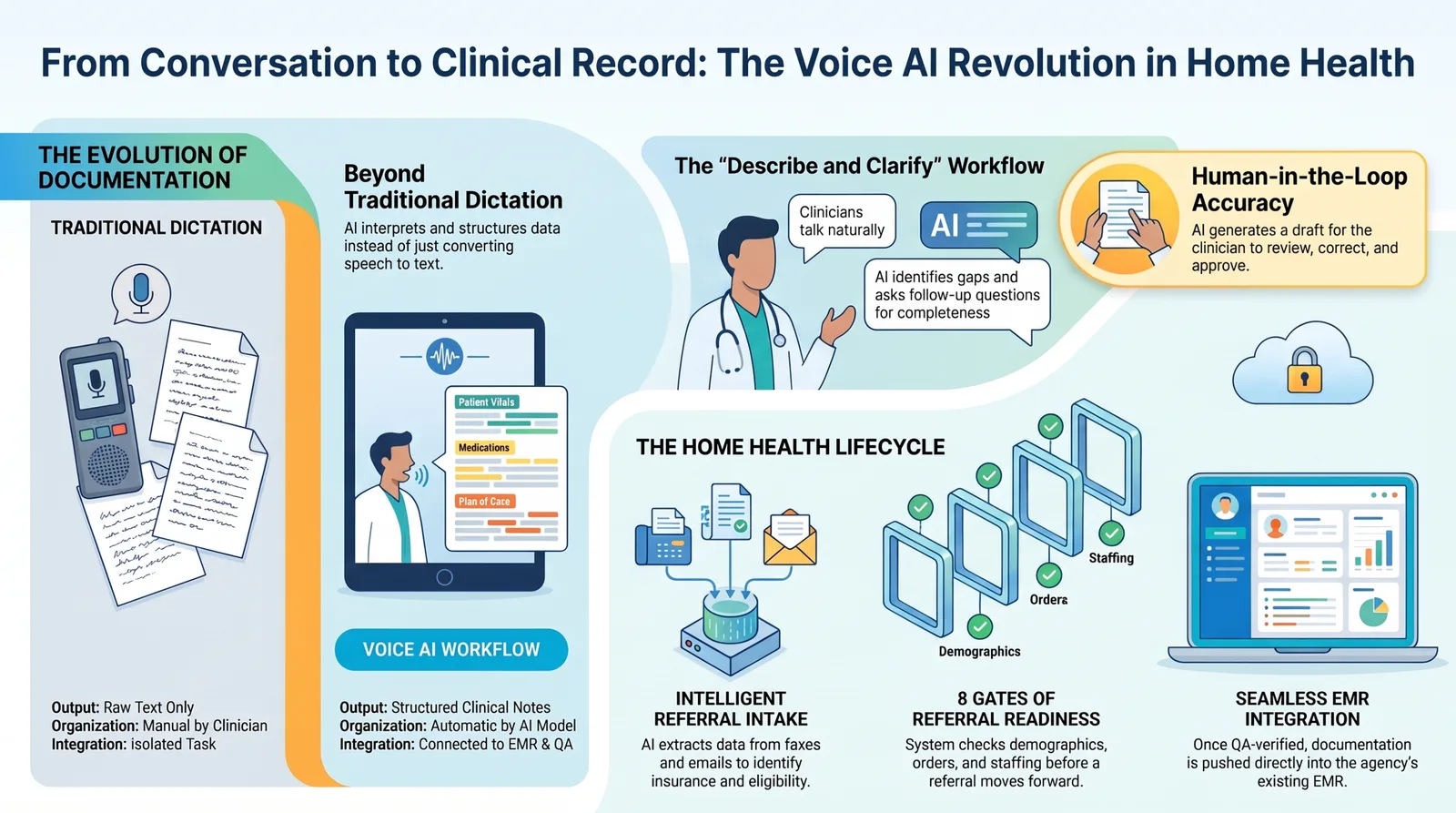
Voice AI can connect natural conversation to structured notes, human review, referral readiness, and the agency's existing EMR workflow.
Why Is Clinical Documentation Still a Challenge for Clinicians?
Clinical documentation can require clinicians to perform several tasks at once: care for the patient, remember relevant clinical information, navigate an EHR, enter structured data, and ensure the final record accurately reflects the encounter. Several challenges contribute to the burden.
Why does manual documentation take so much time?
The clinician must translate a dynamic patient interaction into symptoms, findings, assessments, interventions, and plans. That translation often happens during the encounter or afterward, when details must be reconstructed and placed into the correct fields.
How does EHR screen dependency affect clinical work?
EHRs are essential, but navigating screens can compete with direct patient interaction. A clinician may move between fields, menus, templates, and documentation sections while trying to maintain a clinical conversation.
Why does repeated note-taking add administrative work?
Even when the care changes from patient to patient, the documentation process often requires clinicians to revisit similar categories of information and repeat similar navigation. When notes are not completed close to the encounter, that work can spill into evenings and weekends.
Can documentation add to cognitive load?
Yes. Providing care, remembering details, navigating an EHR, and documenting simultaneously creates competing demands on attention.
AI-assisted documentation can separate more of the repetitive documentation work from the clinician's direct interaction with the patient.
How Does Voice AI Turn Clinical Conversations Into Structured Notes?
Voice AI goes beyond traditional speech-to-text. An ambient or conversational documentation system can capture a clinician-patient conversation, or a clinician's post-visit account, and use AI to identify relevant information and organize it into a structured clinical note.
1. Capture the clinical conversation
The system captures spoken information from the encounter or from the clinician's description afterward. In home health, this may mean a nurse describing the visit conversationally after leaving the patient's home.
2. Convert speech into text
Automatic speech recognition converts spoken language into text. Healthcare-focused systems may be designed to recognize clinical terminology and support different language workflows.
3. Distinguish who is speaking
Speaker diarization can help distinguish participants, such as the clinician, patient, and caregiver. This matters when the record needs to identify whether information was observed by the clinician or reported by someone else.
4. Identify relevant clinical information
- Symptoms and diagnoses.
- Medications and procedures.
- Assessment findings.
- Skilled interventions.
- Patient-reported information.
- Patient response and follow-up needs.
5. Organize the information into a note
A generative AI model can organize relevant information into the format required by the organization's workflow, such as a SOAP-style note, visit narrative, or structured home health template.
6. Keep the clinician responsible for approval
The output should be treated as a draft. The clinician reviews the information, corrects errors, adds missing details, removes unsupported statements, and approves the final record.
Clinical responsibility stays with the healthcare professional.
What Is the Difference Between Voice AI and Traditional Dictation?
| Traditional dictation | Voice AI |
|---|---|
| Converts speech into text | Interprets and structures relevant information |
| Usually requires deliberate dictation | Can support natural conversation |
| Primarily produces text | Can produce structured documentation |
| Clinician organizes information manually | AI can organize information into the required format |
| Limited ability to detect gaps | Can potentially ask follow-up questions |
| Often separate from the wider workflow | Can connect to QA, EMR, and downstream workflows |
Capabilities vary by system, but the key distinction is that transcription is not the same as clinical documentation. A transcript records what was said; a clinical record organizes the relevant information so it can support care, operations, and compliance.
Why Isn't a Transcript Enough to Create a Clinical Record?
Consider the sentence, "The patient says her knee has been hurting more this week." A transcript preserves those words. Structured documentation may need to organize the reported symptom, location, change from baseline, relevant assessment, intervention, patient response, and follow-up.
The AI's job is not simply to produce a transcript; it is to help transform conversation into structured, reviewable information.
Can Voice AI Ask Follow-Up Questions When Information Is Missing?
Yes. A clinician may naturally describe the important parts of a visit without mentioning every documentation field.
A conversational system can identify information that may still be needed and ask a targeted question, such as, "Can you provide the patient's last bowel movement?" The nurse answers conversationally, and the system updates the draft.
Nurse describes visit → AI understands context → AI identifies a potential gap → AI asks a question → nurse answers → AI updates the documentation.
How Does Voice AI Change the Clinical Documentation Workflow?
- It can reduce repetitive typing by generating a first draft instead of presenting a blank note.
- It can help create documentation closer to the encounter, potentially reducing after-hours EHR work.
- It can reduce screen dependency during parts of the documentation process.
- It can give clinicians more opportunity to focus on the patient instead of continuous data entry.
- It can streamline capture, extraction, structure, and review when it fits the surrounding workflow.
These are potential workflow benefits, not guaranteed outcomes. Results depend on the system, specialty, implementation, clinician adoption, and whether the technology fits the work clinicians actually perform.
How Does Voice AI Work Differently in Home Health?
A home health clinician is moving from one patient's home to another, not sitting in a clinic room at a workstation. The workflow can include referral, scheduling, travel, assessment, care, documentation, EMR entry, orders, and follow-up.
The technology must fit that mobile reality.
Patient visit → nurse talks to AI → AI asks follow-up questions → AI creates documentation → nurse reviews → approved documentation moves into the EMR.
Instead of returning to a computer and reconstructing the visit from memory, the nurse can describe what happened while the details are fresh. This is one reason voice AI is particularly relevant to home health documentation.
Does Voice AI Start Working Only After the Patient Visit?
Not necessarily. For a home health agency, the broader AI workflow can begin when a referral arrives.
This is an important difference between a standalone AI scribe and an AI-powered workflow system.
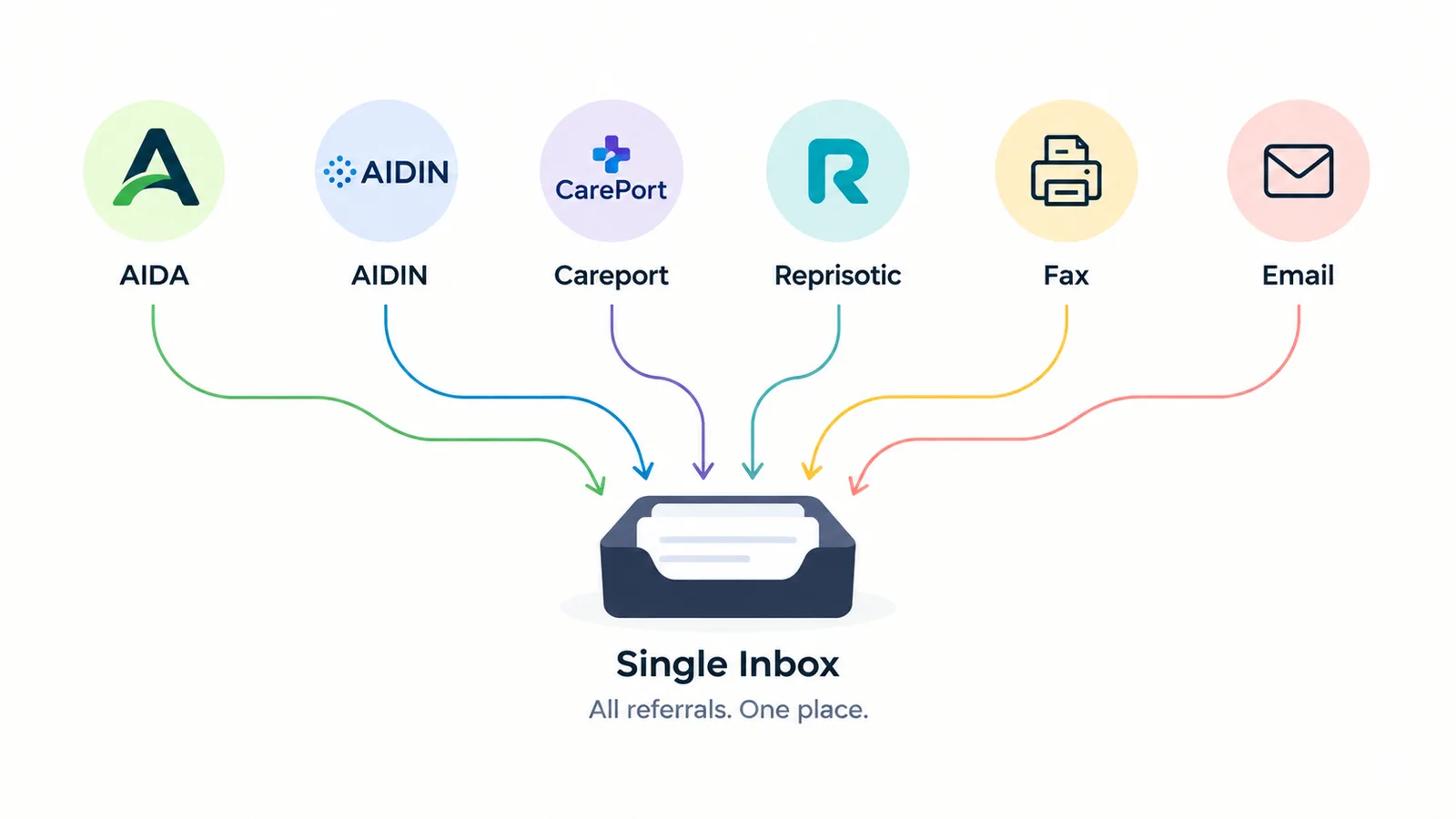
A centralized intake workflow can bring referrals from multiple digital platforms, fax, and email into one place for agency review.
How can AI support the home health referral workflow?
A home health agency may receive referrals through AIDA, AIDIN, CarePort, Repisodic, fax, and email. A connected workflow can bring those sources into a single inbox so staff do not have to move between disconnected systems.
For more on the operational problem, see why agencies lose referrals before Start of Care.
How can AI read and analyze a home health referral?
Document extraction and OCR can surface information such as pre-coding, focus of care, face-to-face documentation and timing, insurance, and eligibility. For Medicare home health, CMS says the supporting medical record must justify skilled need and homebound status, and the certification must include the required face-to-face encounter information.
AI can surface and organize evidence for review; it does not independently determine eligibility.
Can AI determine whether a referral is ready?
AI can support referral readiness by checking whether key information has been identified. In the Copper workflow, a referral can move through eight gates: demographics, insurance and eligibility, face-to-face documentation, skilled nursing order, primary care provider call, primary diagnosis, staffing availability, and clinician assignment.
? A workflow assistant asks a more useful question than "What does the referral say?" It asks, "What is still preventing this referral from moving forward?"
Can AI help with home health scheduling?
After the referral is reviewed, AI can help identify the services that need to be scheduled, such as skilled nursing, occupational therapy, and physical therapy, and surface the next required action. Integration capabilities vary by agency and EMR environment.
The demonstration referenced for this article focused on a Kinnser workflow and was not integrated with the agency's AXXESS EMR at that time.
What Happens When the Nurse Completes the Home Health Visit?
After completing the visit, the nurse can explain what happened in natural language: arriving at the home, completing the assessment, identifying findings, providing care, educating the patient or caregiver, recording the response, and describing what happens next. The AI helps translate that account into structured documentation.
Can voice AI understand the context of a home health visit?
That is the goal of a context-aware documentation system. The nurse should not have to say, "Enter this in field one, then field two." The nurse describes the encounter naturally, while the system uses the conversation and available patient context to prepare the appropriate sections for review.
What can voice AI capture from a home health visit?
- Symptoms, vital signs, pain, and assessment findings.
- Medications, wounds, mobility, and functional status.
- Skilled interventions and the patient's response.
- Patient and caregiver education.
- Goals, care-plan information, and follow-up needs.
- Other clinically relevant details required by the visit type and discipline.
Documentation requirements vary by visit type, discipline, payer, and agency workflow. Voice AI should assist clinicians, not replace their understanding of the applicable requirements.
How Does AI Create the Clinical Note?
After the nurse describes the encounter and answers any necessary follow-up questions, the system can generate a structured clinical note. Documentation does not disappear; the clinician performs less manual translation between patient care and the record.
Instead of visit → drive → remember → log in → navigate → type → correct → sign, the workflow can move toward visit → describe → answer questions → review → approve.
Why Does Human Review Matter in AI Clinical Documentation?
AI-generated documentation should never be treated as automatically correct. A system can miss information, misinterpret speech, attribute a statement to the wrong speaker, misunderstand clinical context, or generate a plausible statement that was not supported by the source conversation.
✓ Responsible workflow: AI generates → human reviews → human corrects → human approves. Unsafe workflow: AI generates → automatically becomes the medical record.
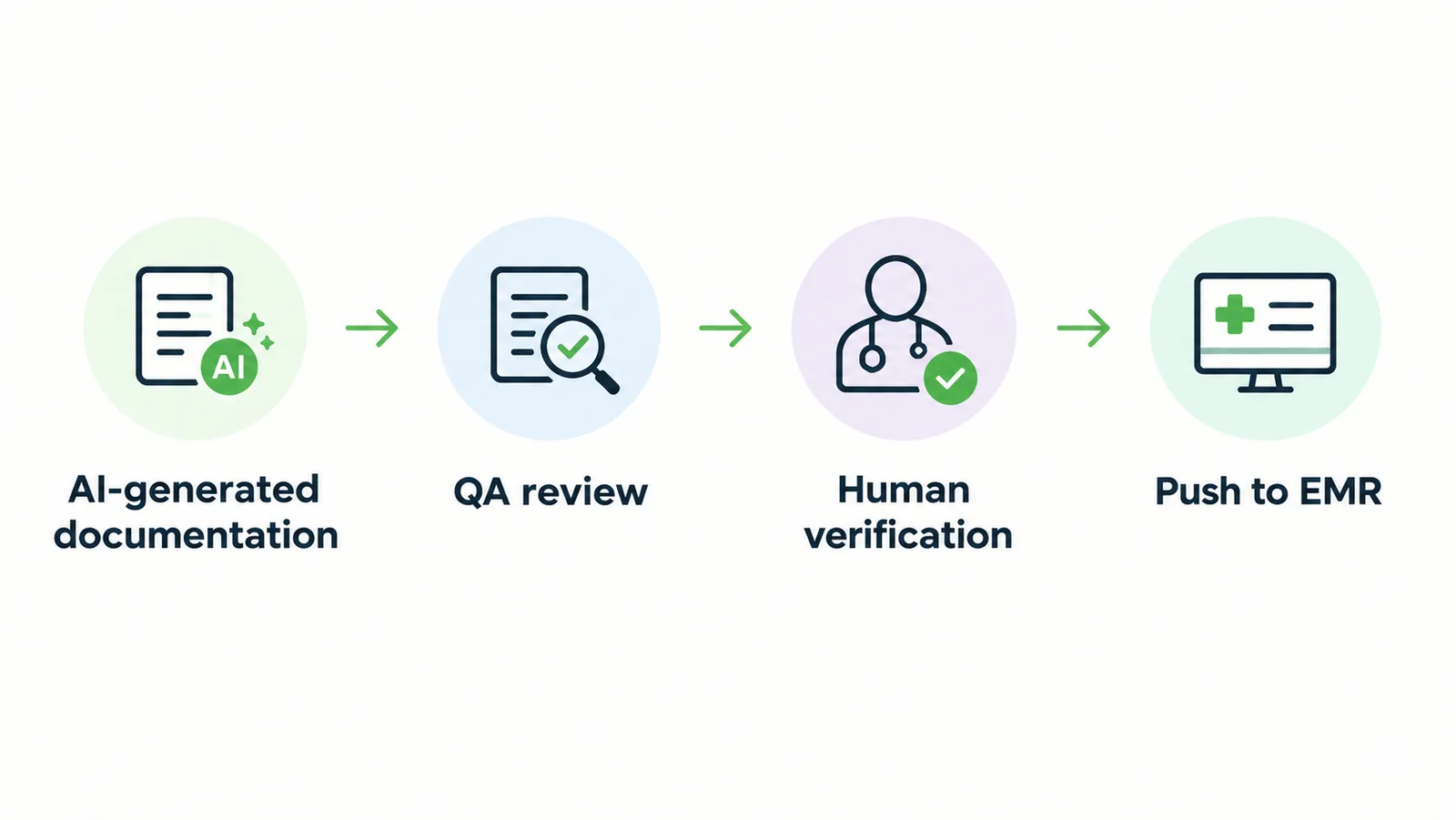
Human review and QA create control points before approved documentation moves into the agency's EMR.
How Does QA Fit Into the Voice AI Workflow?
Clinician review can be supplemented by a separate QA workflow. A reviewer may need to see coding, past medical history, homebound condition, and other required fields before using a Push to EMR action.
This creates an additional control point between generation and the permanent clinical record.
AI-generated documentation → QA review → human verification → push to EMR.
Can Voice AI Push Documentation Into the EMR?
Depending on the product and available integration, approved documentation can move into the EMR. The objective is to avoid creating another isolated system that forces clinicians or reviewers to duplicate their work.
Integration availability varies by EMR and agency environment.
Can AI Support Orders and Other Documentation Workflows?
Yes. Home health documentation also includes orders, signatures, plans of care, physician communication, and related workflows. CMS explains that home health plans of care are reviewed at least every 60 days, or more often when the patient's condition warrants.
A connected AI workflow can surface CMS-485 status, signatures, face-to-face timing, focus of care, medications, goals, wounds, and other information for staff review.
Is Voice AI the Same as an AI Scribe?
No. An AI scribe primarily answers, "How do we turn this encounter into documentation?" A broader AI workflow can also ask what referral arrived, what is missing, who must act, whether the note needs QA, what should move into the EMR, and which orders or signatures remain outstanding.
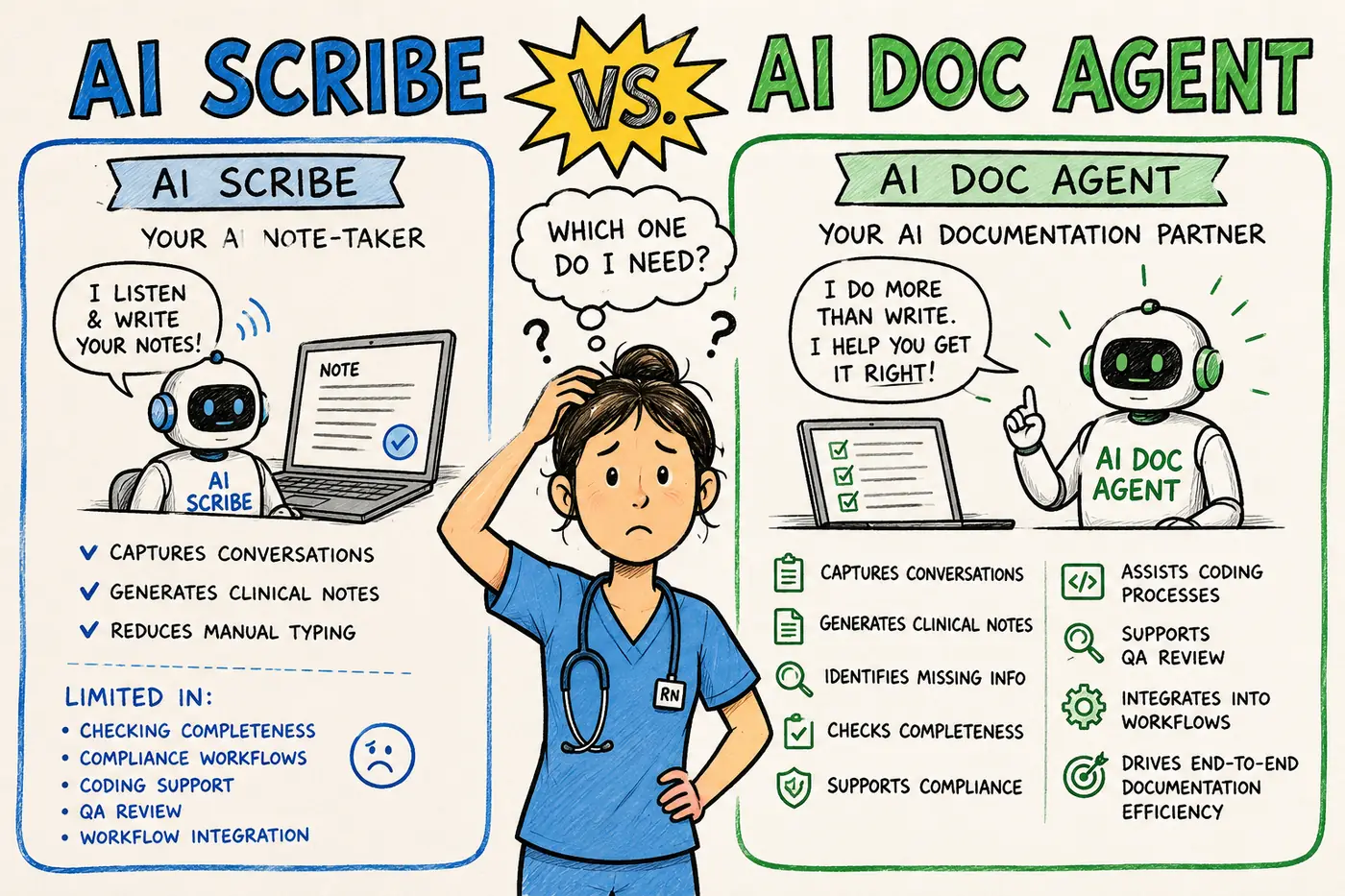
An AI scribe drafts the note. An AI documentation agent can support the wider capture, completeness, QA, and workflow process.
For a deeper side-by-side comparison, read AI vs. an ambient scribe for home health nurses.
How Does Copper AI Fit Into the Clinical Documentation Workflow?
Copper AI is designed as an AI-powered workflow and documentation system for home health agencies, not simply as a standalone voice transcription tool. Its broader model connects referral intake, document extraction, eligibility and face-to-face checks, referral readiness, staffing, scheduling, the patient visit, conversational documentation, follow-up questions, note generation, QA, human review, EMR workflows, and outstanding orders or signatures.
→ Do not stop at automating the note. Reduce the repetitive work around the note.
What Makes a Home Health AI Workflow Different From a Generic AI Scribe?
The difference is context. A generic scribe may begin when the clinician starts talking.
A home health workflow can begin earlier with the referral, patient information, eligibility, diagnosis, orders, and scheduling, then continue through the visit, documentation, and QA. That context can connect the information entering the agency with the record produced during the visit.
Can AI Perform Insurance Prior Authorization?
Not necessarily. The Copper workflow described here can monitor incoming information and support documentation-related processes, but it does not currently perform the insurance prior authorization itself.
Capabilities should always be evaluated for the specific product, payer, integration, and workflow.
Does Voice AI Replace the EHR?
No. The EHR remains the system where the clinical record is maintained.
Voice AI is intended to reduce friction around that system: conversation → AI processing → structured documentation → human review → EMR. The objective is to make established workflows easier to operate, not necessarily replace the agency's systems.
What Are the Limitations of Voice AI in Clinical Documentation?
- Background noise and poor audio quality.
- Multiple speakers, accents, and speech variation.
- Clinical terminology and incomplete conversations.
- Missing context or incorrect speaker attribution.
- AI-generated omissions or inaccuracies.
- Integration limitations and workflow changes.
- Training and adoption requirements for clinicians.
Implementation matters as much as the AI model. A technically capable system can still fail if it does not fit the clinician's actual workflow.
What Should Healthcare Organizations Consider Before Using Voice AI?
- How patient information is protected, processed, and stored.
- Who can access information and whether activity is auditable.
- What happens to audio recordings and how long data is retained.
- Whether patient information is used for model training.
- Whether a Business Associate Agreement is required and available.
- How the system integrates with the existing EMR.
- Whether clinicians can review and correct every generated record.
- How the organization handles errors and security incidents.
The HHS summary of the HIPAA Security Rule states that covered entities and business associates must use reasonable and appropriate administrative, physical, and technical safeguards for electronic protected health information. HHS specifically identifies controls including access control, audit controls, authentication, and transmission security.
Compliance must be evaluated across the organization's technology, contracts, security, and operations; it should not be assumed simply because a product uses healthcare AI.
How Can Voice AI Support Better Workflows Without Removing Human Judgment?
| AI can help | Clinicians remain responsible for |
|---|---|
| Capture and extract information | Assessing the patient |
| Organize and summarize | Interpreting clinical context |
| Identify potential gaps | Correcting the record |
| Generate a draft | Making clinical decisions |
| Move approved information through workflows | Approving and providing care |
The strongest model is AI for repetitive information work and people for clinical judgment. That division of work can reduce administrative effort without weakening professional accountability.
What Does the Future of Clinical Documentation Look Like?
The future is not simply replacing typing with talking. It is changing where documentation fits into the care workflow.
A connected system can understand the referral, help the agency verify readiness, support scheduling, let the nurse describe the visit, ask what is missing, prepare structured documentation, route it through review and QA, move approved information into the EMR, and continue supporting orders and follow-up work.
Care → describe → clarify → review → document, instead of care → remember → reconstruct → type.
The biggest change may not be that clinicians type less. It may be that documentation becomes less disconnected from care.
Care happens in the home; documentation should not have to take over the rest of the day.
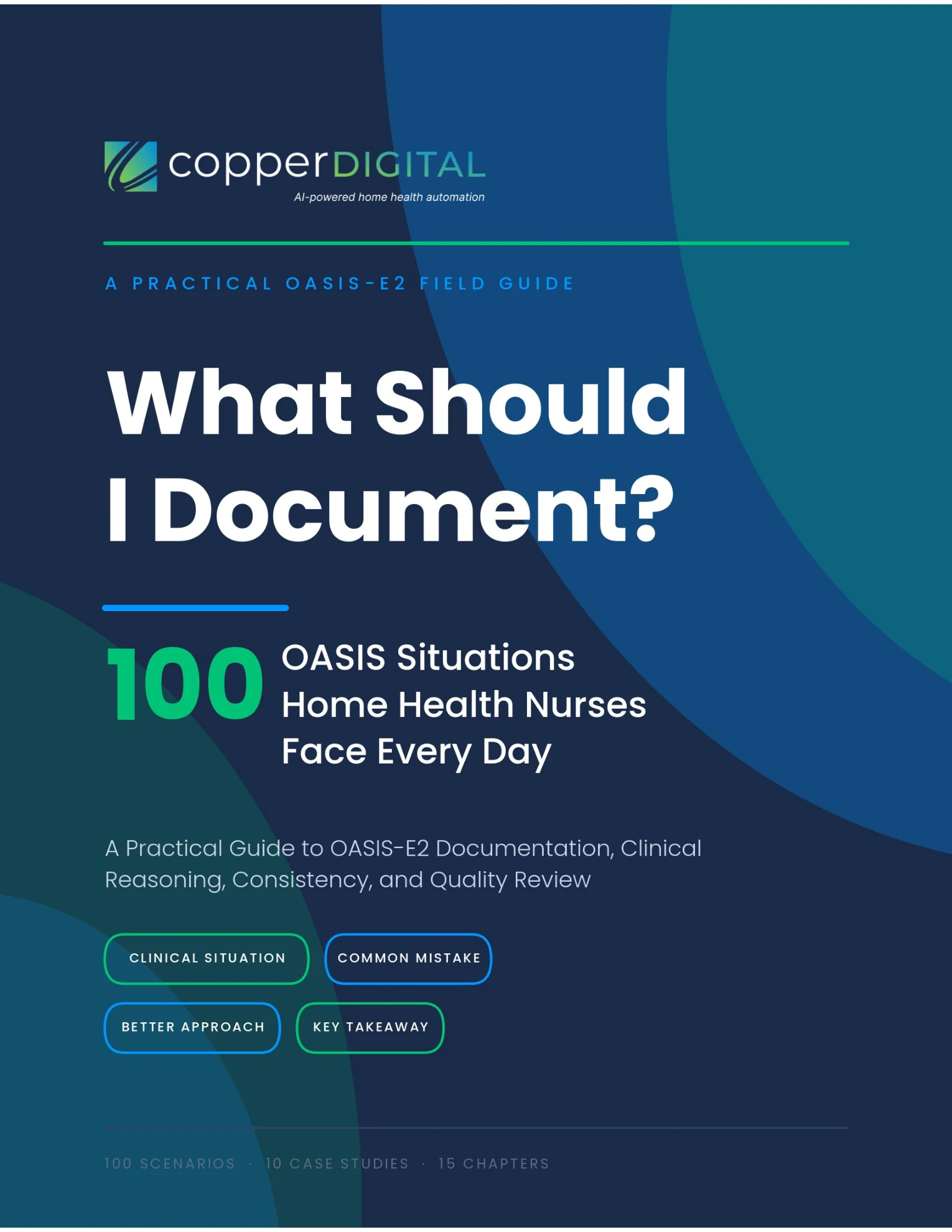
What Should I Document? 100 OASIS Situations Home Health Nurses Face Every Day
100 real OASIS scenarios, worked end to end — clinical situation, common mistake, better approach, and key takeaway. Built around OASIS-E2 (effective April 1, 2026) to turn what you assess into accurate, defensible documentation.
Watch on YouTube
Related videos
Home Health AI Explained: What Agencies Should Automate First
Bottom Line
Voice AI changes documentation from care, remember, reconstruct, and type into care, describe, clarify, review, and document. In home health, its greatest value comes when that clinician-reviewed note is connected to the broader referral, QA, EMR, orders, and compliance workflow.

Arvind Sarin is the founder of Copper Digital. He works inside home health agencies to build AI documentation workflows that help clinicians finish OASIS and visit notes sooner, with a nurse reviewing and approving every note. He writes about home health documentation, Medicare compliance, and applying AI responsibly in clinical workflows.
Frequently asked
Frequently asked questions
Voice AI clinical documentation uses speech recognition and AI to capture information from a clinical encounter or spoken visit summary, identify relevant clinical details, and generate structured documentation for a healthcare professional to review and approve.
Join the conversation
Leave a comment
No comments yet. Be the first to share your thoughts.
Related reading
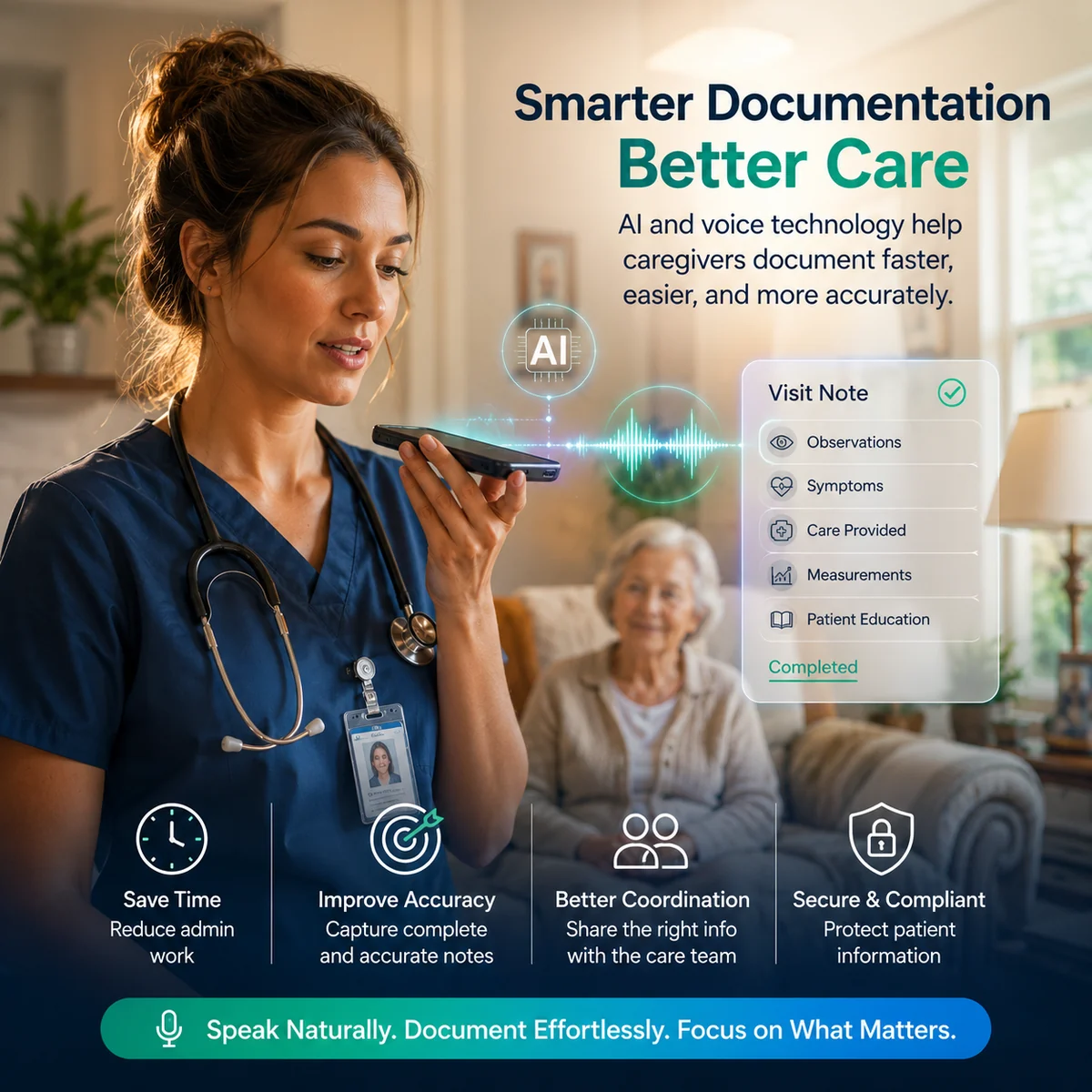
How AI and Voice Technology Improve Caregiver Documentation in Home Health
Documentation can eat a caregiver's day. AI and voice technology let caregivers speak their observations while a visit is fresh, then help organize the information into structured documentation, reducing typing, after-hours charting, and errors, while the caregiver reviews and stays accountable for the final record.
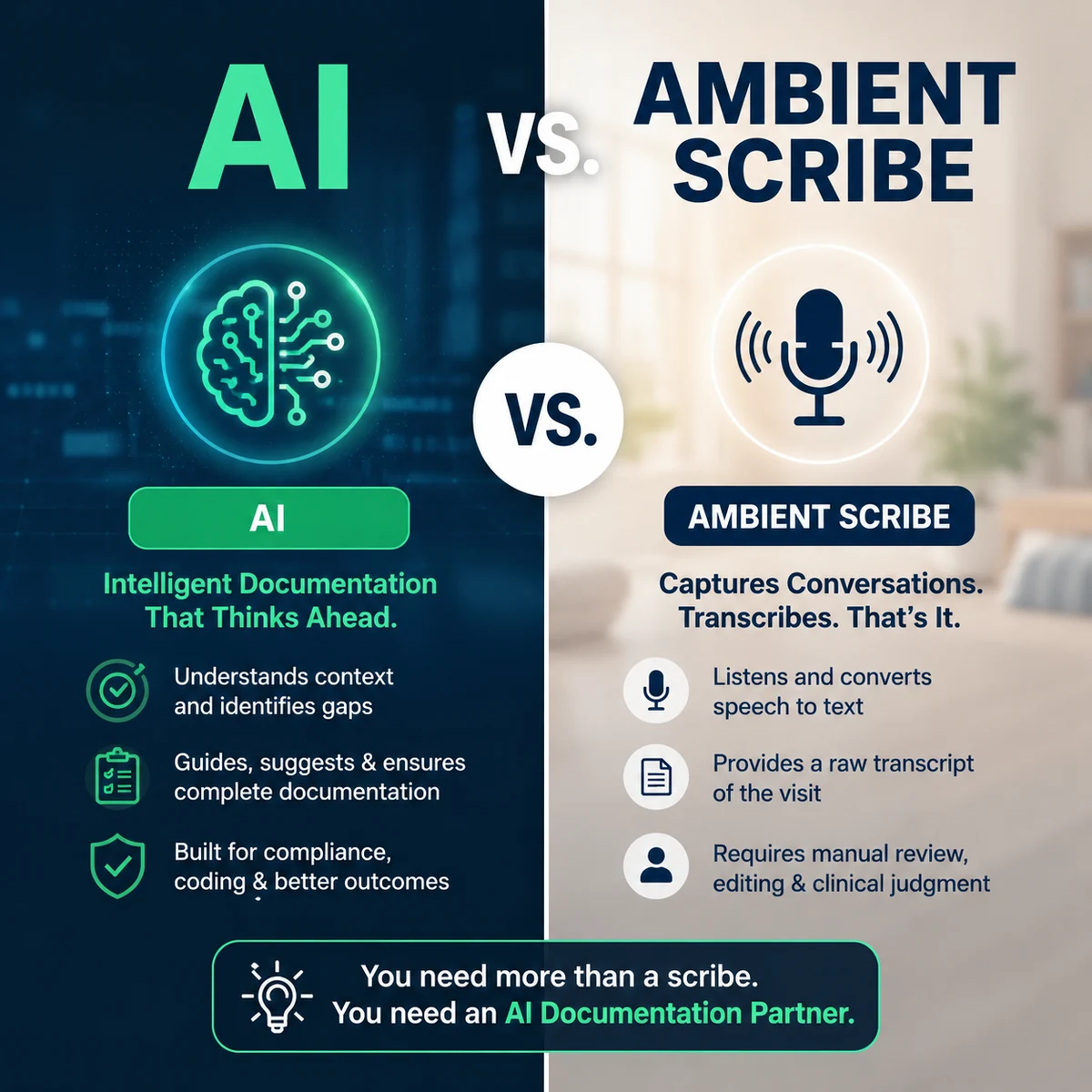
AI vs. Ambient Scribe for Home Health Nurses: What's the Difference?
An ambient scribe listens and drafts a note from the conversation; AI documentation supports a broader capture-to-approval workflow. This guide breaks down the difference, why it matters more in home health (where much of the clinical story is observed, not spoken), a side-by-side comparison, OASIS considerations, and the questions to ask AI vendors.

AI Scribe vs AI Documentation Agent: Which One Does Home Health Really Need?
An AI scribe transcribes conversations into notes. An AI Documentation Agent goes further: it understands clinical workflows, processes referral PDFs, drafts OASIS-E assessments, assists with medication reconciliation, surfaces missing documentation, and helps nurses complete compliant charts. For home health's OASIS complexity and referral processing, an AI Documentation Agent does more than a transcription-only scribe.